Best VPNs for Online Banking
Banks flag foreign IP addresses the same way they flag stolen cards. If you've ever had your account locked mid-trip, a VPN connecting through your home country is the fix that actually works.

My bank locked me out in Tbilisi. I was trying to log in to transfer money for rent, and within two minutes I got an email: "Suspicious login detected. Your account has been temporarily suspended."
The bank didn't know I was in Georgia. It just saw an unfamiliar IP address and decided to shut me down.
That was four years ago. Since then I've accessed online banking from 30+ countries, and a VPN has been on every single time. Not out of paranoia, but because banks use IP geolocation and fraud detection systems to flag unusual logins. "Nomad in a cafe in Chiang Mai" is exactly the kind of login that trips fraud alerts.
Here are the five best VPNs for online banking, tested across real public networks in Chiang Mai, Medellin, Bangkok, and Lisbon. Not just speed labs.
Do You Actually Need a VPN for Online Banking?
Short answer: yes, especially if you're banking from public Wi-Fi or from countries your bank doesn't expect. Three reasons.
First, bank fraud detection uses IP addresses. If your home bank sees your login coming from a cafe in Chiang Mai, it may block the session, trigger a verification flow, or suspend the account outright. Connecting through a VPN server in your home country makes instead the login look normal.
Second, public Wi-Fi is not encrypted. Any cafe, hotel, or coworking space network you're on could have traffic being monitored. A VPN encrypts everything between your device and its server, so even if someone is watching the network, they see nothing useful. AES-256 encryption, which all five VPNs on this list use, is the same standard that banks and governments use for their own infrastructure.
Third, some countries intercept unencrypted traffic. If you're banking from China, Iran, or Russia, a VPN is the only reliable way to ensure your connection isn't monitored at the network level. Even in countries without active surveillance, an unencrypted connection on a shared network is a risk that takes 10 seconds to eliminate.
Pro tip: Connect to a VPN server in your bank's home country (usually where the account was opened). This makes your login appear local and prevents foreign-access fraud flags.
How We Chose These VPNs
We tested each VPN across four criteria that matter for banking, not just general browsing:
- Kill switch reliability: Does the VPN cut all traffic if the connection drops? A dropped VPN mid-session is the worst time for your real IP to appear.
- Static IP availability: Banks flag shared VPN IP ranges because thousands of users cycle through them. A dedicated static IP in your home country reduces that risk dramatically.
- Connection stability on weak networks: Tested on cafe Wi-Fi in Chiang Mai (50 Mbps base), a coworking space in Medellin (80 Mbps), and hotel Wi-Fi in Bangkok (30 Mbps).
- Verified no-log policy: Third-party audited only. A VPN that logs your activity defeats the entire purpose.
If you want a broader overview of how these VPNs perform for everyday nomad use beyond banking, our roundup of best VPNs for digital nomads covers the full picture.
Best VPNs for Online Banking at a Glance
| VPN | Best For | Price/Month (2-yr) | Servers | Static IP |
|---|---|---|---|---|
| NordVPN | Best overall | From $3.39 | 7,800+ / 118 countries | Yes (add-on) |
| ExpressVPN | Fastest speeds | From $4.99 | 3,000+ / 105 countries | No |
| Surfshark | Best budget | From $2.49 | 3,200+ / 100 countries | Yes (add-on) |
| ProtonVPN | Maximum privacy | From $4.00 | 9,000+ / 112 countries | Yes (higher tiers) |
| CyberGhost | Simplest setup | From $2.19 | 10,000+ / 100 countries | Yes (add-on) |
Best VPNs for Online Banking, Reviewed
NordVPN: Best Overall for Online Banking
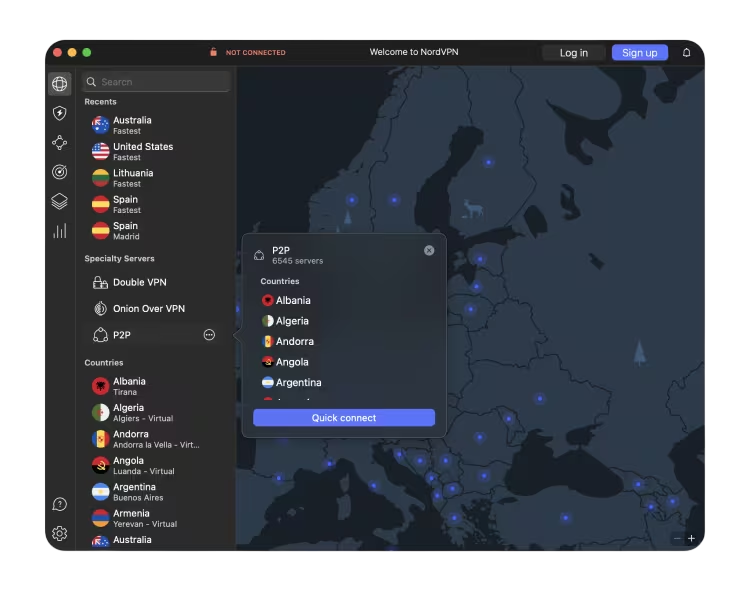
If you bank remotely with any regularity, NordVPN is the one to have. NordVPN sits at the top of this list because it combines the three things that matter most for banking: a reliable kill switch, a static IP add-on, and 7,800+ servers across 118 countries so you can always connect to a node in your home country.
The kill switch is not a checkbox feature here. One evening in Bangkok, the hotel Wi-Fi dropped mid-session while I had my banking app open. NordVPN cut all outbound traffic instantly until the VPN reconnected. My real IP was never exposed. That's exactly what you want from a banking VPN.
The static IP add-on costs around $5.82/month extra on top of the base plan and gives you a dedicated, stable IP address in your chosen country. This means your bank sees the same IP every time, rather than a shared pool that thousands of users rotate through. Banks increasingly flag and block known shared VPN IP ranges. A static IP sidesteps the problem entirely.
NordVPN is headquartered in Panama, outside the 5/9/14 Eyes intelligence-sharing agreements, and its no-log policy has been independently audited by PricewaterhouseCoopers. RAM-only servers mean no data is ever written to physical drives.
Pricing
| Plan | 1-Month | 12-Months | 24-Months |
|---|---|---|---|
| Basic | $12.99 | $4.99 | $3.39 |
| Plus | $13.99 | $5.99 | $4.39 |
| Complete | $14.99 | $6.99 | $5.39 |
ExpressVPN: Best for Speed
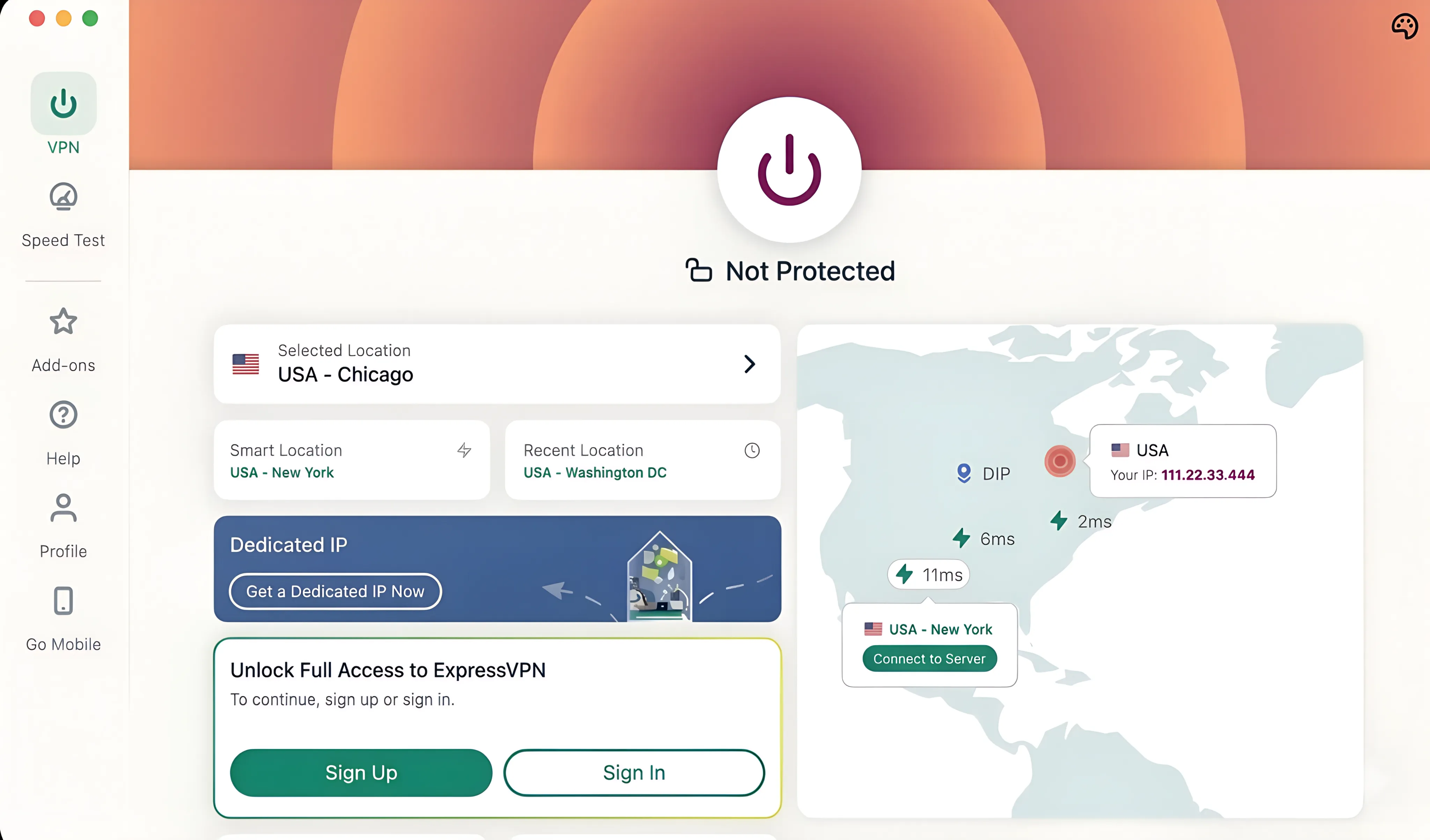
ExpressVPN's Lightway protocol makes it the fastest VPN on this list. On a 30 Mbps hotel connection in Medellin, ExpressVPN held around 26 Mbps with the VPN on. That's under a 15% speed drop. Most banking apps and portals need less than 10 Mbps, but it matters when you're also on a video call and moving money at the same time.
TrustedServer technology means all servers run on RAM only. No data written to physical drives, nothing retained, nothing to seize. ExpressVPN is based in the British Virgin Islands, outside the 14 Eyes surveillance network, and has passed independent third-party audits from Cure53 and KPMG.
The honest limitation for banking use: ExpressVPN doesn't offer a dedicated static IP. You'll share an IP pool with other users, which raises the chance your bank's fraud system flags the connection. If your bank has previously blocked VPN logins, NordVPN's static IP add-on is the better call.
Pricing: From $4.99/month (12-month plan). Monthly plan is $12.95/month.
Surfshark: Best Budget Option
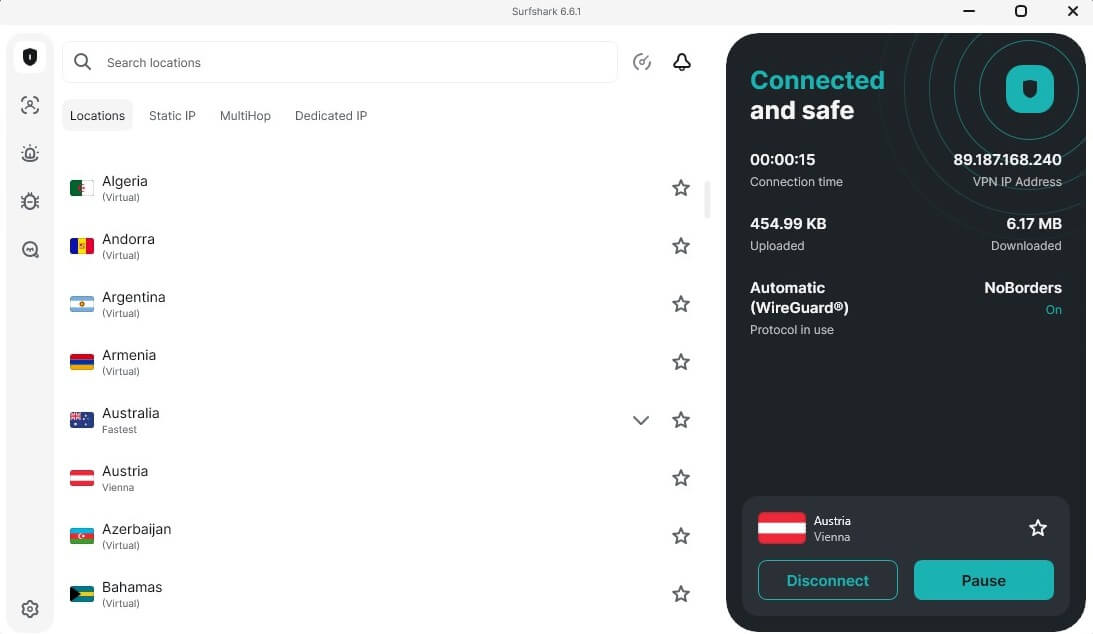
Surfshark costs less than $3/month on the 2-year plan and covers unlimited devices. If you're banking from a laptop, phone, and tablet, that actually matters. No juggling device limits when you need to do something urgent on your banking app at 11pm in a timezone you're not used to.
CleanWeb, Surfshark's built-in phishing and malware blocker, adds a useful second layer for banking. Cafe Wi-Fi in Chiang Mai serving up a fake Wise login page is not hypothetical. CleanWeb doesn't replace your own vigilance, but it catches the obvious stuff before you click.
Surfshark's no-log policy has been independently audited by Deloitte. It's headquartered in the Netherlands. The one honest limitation: its server network (3,200+ servers) is smaller than NordVPN or CyberGhost, which occasionally means slightly higher latency when connecting to less common server locations. If your home bank is in a major country (US, UK, Germany, Australia), you won't notice. If you need a niche server location, you might.
Pricing: From $2.49/month (2-year plan). Monthly plan is $15.45/month.
ProtonVPN: Best for Privacy-First Banking
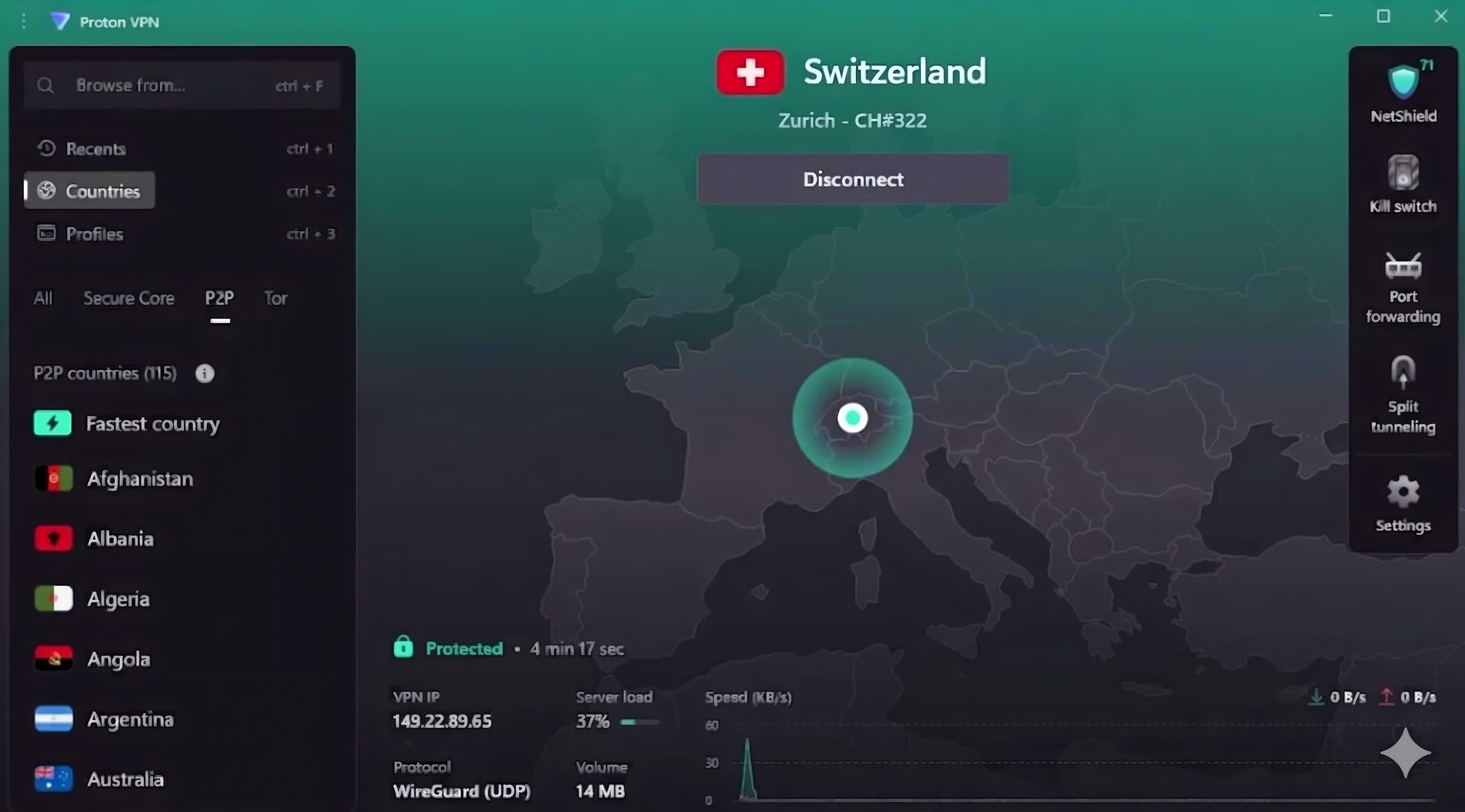
Use ProtonVPN if you handle high-stakes financial transactions, work with client funds, or travel regularly through countries with active network surveillance. Swiss jurisdiction means Swiss privacy law, which is among the strongest in the world and sits entirely outside EU data retention mandates.
Secure Core is the feature that sets ProtonVPN apart. When enabled, your traffic routes through a hardened server in Iceland, Switzerland, or Sweden before exiting to the internet. Even if an exit server in your destination country is compromised, the attacker only sees encrypted traffic arriving from the Secure Core country. For routine banking it's overkill. For high-value transactions, nothing else on this list offers the same architecture.
The code is open-source and has been audited multiple times. Static IP functionality is available on Proton VPN Plus and higher plans. The free tier (3 countries, slower speeds) is not suitable for regular banking use.
Pricing: From $4.00/month (2-year plan). Monthly plan is $9.99/month.
CyberGhost: Simplest Setup for Banking
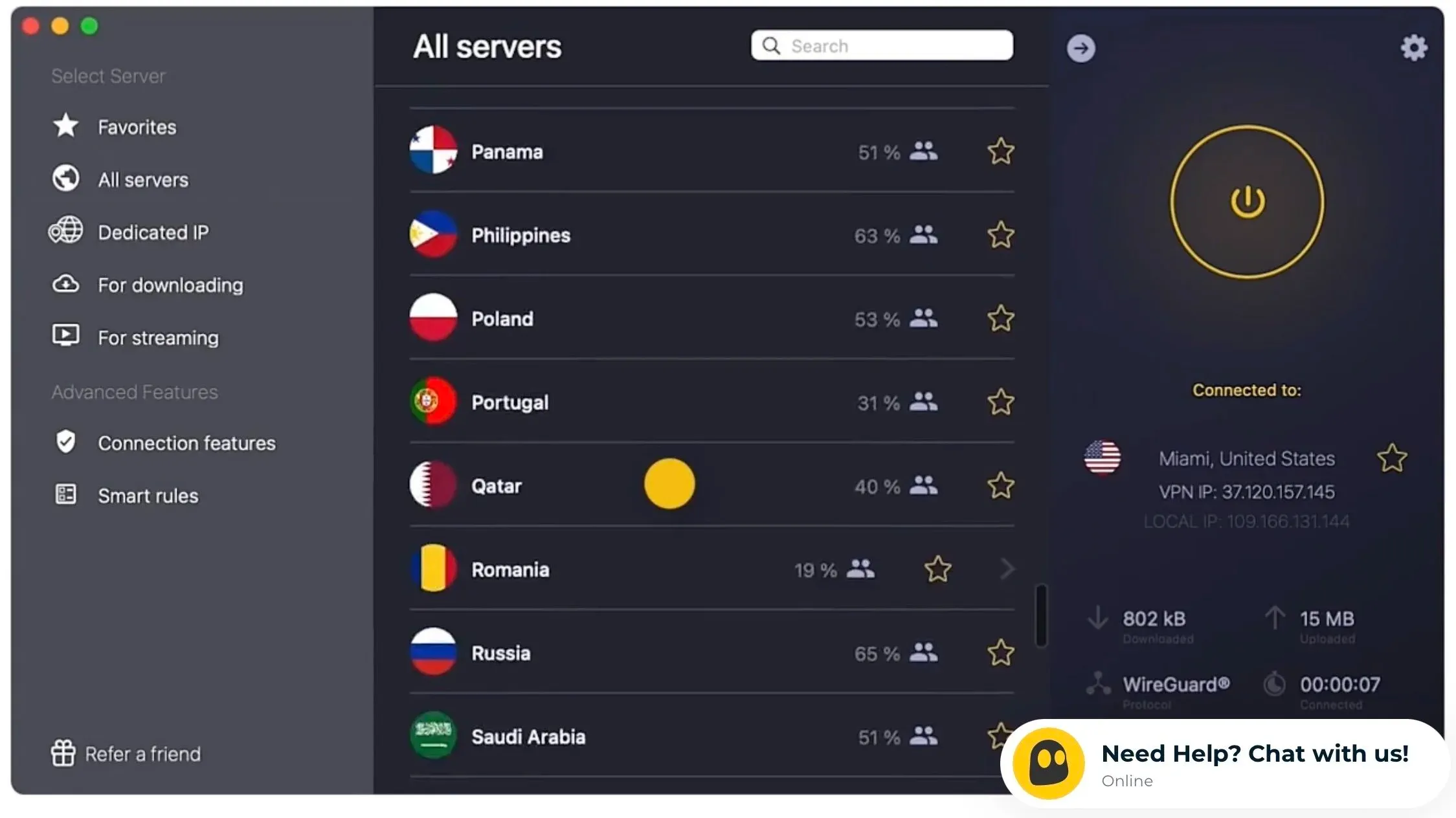
CyberGhost has the largest server network on this list at 10,000+ servers in 100 countries, and its interface is genuinely the most approachable of the five. One-click connect, category-based server profiles, automatic Wi-Fi protection when you join a new network. If you want to connect to a home-country server before opening your bank and don't want to think about it, this is the least-friction path.
CyberGhost is based in Romania, outside the 14 Eyes surveillance network. The 45-day money-back guarantee is the longest in the industry. NoSpy servers are physically operated by CyberGhost's own staff in their Romanian data center, which means no third-party data center access.
The honest caveat for banking: CyberGhost's IP ranges are more widely flagged by bank fraud systems than NordVPN or ExpressVPN. Its mainstream status means more of its shared IPs appear on financial institution blocklists. The dedicated IP add-on solves this, but it adds to the cost. If your bank is strict about VPN IPs, NordVPN with a static IP is the cleaner choice.
Pricing: From $2.19/month (2-year plan). Monthly plan is $12.99/month.
What to Look for in a VPN for Online Banking
Not every VPN is equal for banking. Here's what to check before you commit to one:
- Kill switch: Non-negotiable for any VPN for banking. If the VPN drops while you're mid-transaction, your real IP appears. A proper kill switch blocks all traffic until the VPN reconnects. Test it before you rely on it.
- Static IP availability: Shared IP ranges get flagged by banks because thousands of users cycle through them. A dedicated static IP in your home country eliminates most bank fraud alerts from VPN use.
- Jurisdiction: Where is the company registered? Countries with mandatory data retention laws (UK, USA, Germany, Australia) can compel VPN providers to hand over data. Switzerland, Panama, and the British Virgin Islands offer the strongest user protection.
- Third-party audited no-log policy: Any provider can claim "we don't log" and all five VPNs on this list use AES-256 encryption as standard. Audits from PwC, Deloitte, Cure53, or KPMG verify it independently. All five VPNs on this list have published audits.
- Split tunneling: Routes only specific apps through the VPN. Useful if you want banking protected but want your streaming to run at full speed on the local network.
Will Your Bank Block You If You Use a VPN?
Some banks block known VPN IP ranges to prevent fraud. US banks and UK banks are more aggressive about this than most European or Asian institutions, but it's not universal. The right VPN for banking sidesteps most of these issues before they start.
Three things reduce the chance of being blocked:
- Use a static IP. Shared VPN IPs rotate through thousands of users and appear on financial institution blocklists. A dedicated static IP in your home country looks like a regular home connection to your bank.
- Connect to a server in your bank's country. Using a UK server to access a US account still looks foreign. Use a US server. The geolocation match removes the foreign-access flag.
- Use a VPN with a clean IP reputation. NordVPN and ExpressVPN maintain and rotate their IP pools more proactively than budget providers, so fewer of their IPs appear on banking blocklists at any given time.
If your bank still blocks access after all three steps, call the bank directly. Explain you're traveling internationally and ask them to flag your account for 30 days of international access. Most banks have a process for this.
For nomads who want a bank that actually works internationally without constant fraud flags, our roundup of nomad-friendly bank accounts covers accounts built for cross-border use. Pair the right bank with a solid VPN and the friction basically disappears. The best debit cards for international travel are also worth looking at if you're still using a domestic-only card abroad.
Frequently Asked Questions
Is it safe to use a VPN for online banking?
Yes, using a reputable VPN with a verified no-log policy is safe and actively improves your banking security. It encrypts your connection so nobody on the same network can intercept your data. The risk comes from using free or unverified VPNs, which may log and sell your browsing activity. Stick to providers with independent audits.
Why is my bank blocking my VPN?
Banks block known VPN IP ranges to prevent fraud. Shared IPs used by thousands of users show up on financial institution blocklists. The most reliable fix is a dedicated static IP add-on from your VPN provider (available from NordVPN, Surfshark, CyberGhost, and ProtonVPN). A static IP gives you a unique address in your chosen country that nobody else shares.
Which VPN is best for online banking?
NordVPN is the best overall option for banking, combining a reliable kill switch, static IP add-on, audited no-log policy, and 7,800+ servers in 118 countries. If budget is the priority, Surfshark covers unlimited devices from $2.49/month with a Deloitte-audited no-log policy. If you handle high-value transactions or travel through high-surveillance countries regularly, ProtonVPN's Swiss jurisdiction and Secure Core architecture offer the most protection.
Should I always use a VPN for online banking when abroad?
Yes. Any time you're on a public network (cafe, hotel, coworking space, airport), a VPN should be on before you open any financial app. On private rental or home Wi-Fi, it's still a good habit, especially in countries with known network surveillance. Connecting takes 10 seconds. The risk of not doing it is your real IP exposed on a monitored network during a banking session.
Does a VPN protect your online banking from hackers?
A VPN protects your connection from interception on the same network, which prevents man-in-the-middle attacks on public Wi-Fi. It doesn't protect your account if your device has malware, if you use a weak password, or if you click a phishing link. VPN is one security layer, not a complete solution. Use it alongside strong passwords, two-factor authentication, and basic phishing awareness.
Can I use a free VPN for online banking?
No. Free VPNs are not safe for financial use. They log and sell browsing data, inject ads, or have weak encryption, often all three. ProtonVPN is the only free VPN with a credible security record, but its free tier (3 countries, reduced speeds) isn't practical for regular banking. Pay $2-3/month for a reputable provider if you're using a VPN for anything financial.
Ready to Secure Your Banking on the Road?

Find places, workspaces, events and a community that gets you.
Get Freaking Nomads Pro
Written by
Irene Wang
Digital nomad and co-founder of Freaking Nomads. She shares raw, unfiltered stories and helps nomads find resources to thrive while traveling and working remotely.

Freaking Nomads is supported by you. Clicking through our links may earn us a small affiliate commission, and that's what allows us to keep producing free, helpful content. Learn more
Read Next

Best eSIMs for Philippines Travel: Tested and Reviewed

espresso by Kensington Magnetic Privacy Screen Review