NETGEAR Nighthawk M6 Pro: Best Portable Wi-Fi Hotspot for Nomads?
Honest review of the NETGEAR Nighthawk M6 Pro hotspot: real-world speeds, pros, cons, and if it’s worth $999 for digital nomads.

Nothing kills a productive workday faster than bad Wi-Fi. If you’ve ever tried working from a café, train, or Airbnb with a signal that keeps cutting out... You know exactly what I mean.
NETGEAR Nighthawk M6 Pro is said to be one of the most powerful 5G mobile hotspots out there, built for digital nomads and remote workers who can’t afford to rely on sketchy connections. But at almost $999, it’s definitely not a casual buy.
So, I decided to put it to the test, using it for a few months while working and traveling in 4 different countries. Here’s what I discovered: what impressed us, what frustrated us, and whether it’s actually worth the price.
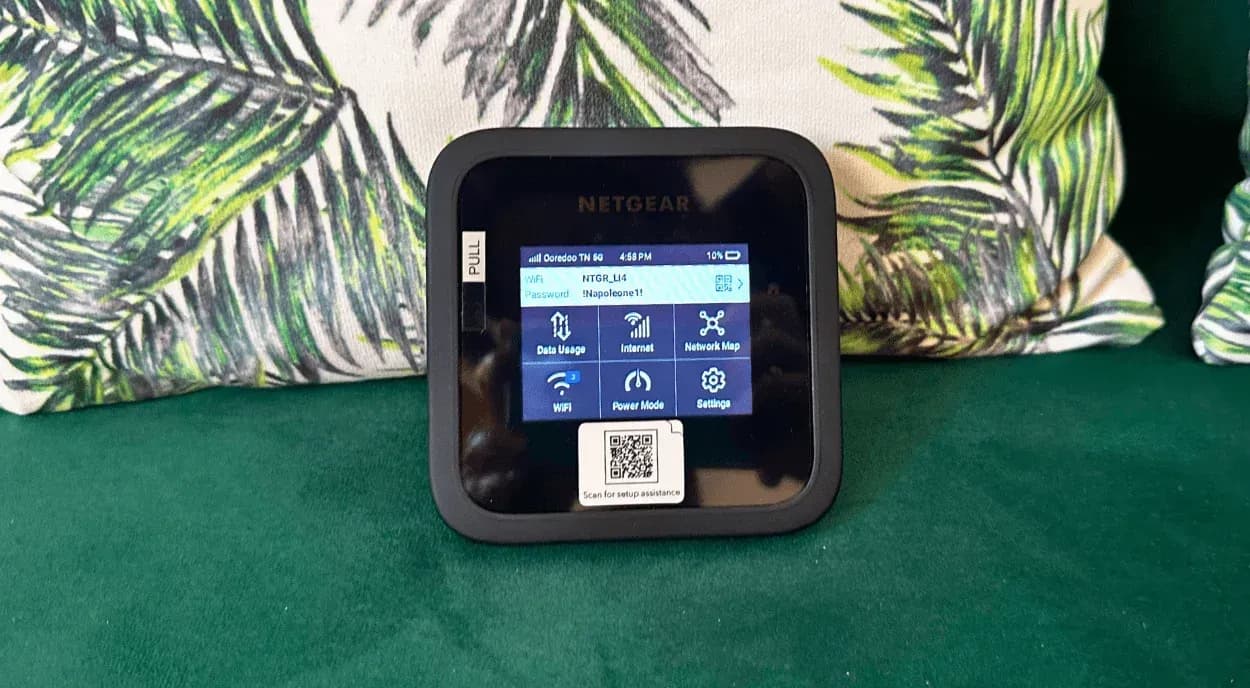
Netgear Nighthawk M6 Pro: Key Specs
- Wi-Fi: Wi-Fi 6E (2.4 GHz + 5/6 GHz) for faster, smoother connections
- 5G: Works with Sub-6 and mmWave 5G
- Battery: 5040 mAh removable battery, lasts about 13 hours or can run plugged in
- Ports: 2.5 Gb Ethernet, USB-C, and 2 antenna ports
- Devices: Connect up to 32 devices at once
- Screen: 2.8-inch color touchscreen for easy setup and stats
What Makes It Special (Pros)
After a few weeks traveling with the NETGEAR Nighthawk M6 Pro, I get why people rave about it. It’s not cheap, but it really feels like it was built for people like us.
It adapts to your lifestyle
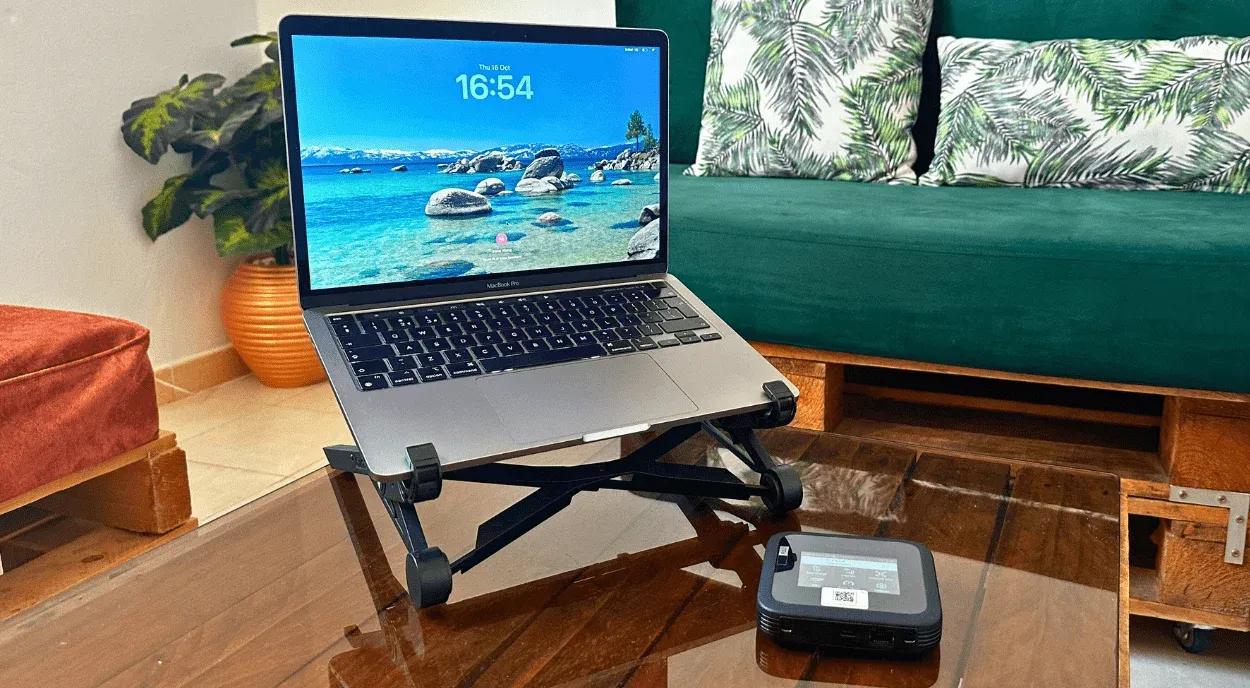
What impressed me most was how flexible it is. It’s not just a hotspot, and it can also act as a router, a repeater, or even a wired modem if you plug it in. I’ve used it in cafés, Airbnbs, airports, and even on trains, and it’s held up way better than I expected. When I was staying somewhere with painfully bad Wi-Fi, I just removed the battery, switched to the In-Home Performance Mode, and it instantly boosted the speed. It’s one of those rare tech gadgets that actually fits around your lifestyle instead of the other way around.
It’s unlocked and ready for any country
The best part about M6 Pro is that it’s unlocked. You can pop in a local SIM wherever you land, or use a roaming plan if you prefer. It worked seamlessly as I traveled between countries, and it supports coverage in over 125 places, so you’re not restarting your internet life every time you cross a border.
The performance is legit
This thing is seriously powerful. It runs on Wi-Fi 6E and 5G, so you can upload big files, host client calls, stream, or even game if that’s your thing. I had no issues editing videos or syncing cloud files on the go. When I was somewhere remote, I plugged in the external antennas, and it easily found a stronger signal. If you’re stationary, you can also plug in via Ethernet or USB-C for an even steadier connection.
Easy to manage
You can control everything through Netgear’s web dashboard, which is much easier than tapping through the tiny screen on the device. The touchscreen is fine for quick stuff like checking data usage or battery, but the browser view just makes more sense when you want to switch settings.
Perfect for sharing
With M6 Pro, you can connect up to 32 devices, which sounds excessive... until you’re in a co-living or sharing an Airbnb. I connected my laptop, tablet, and a few friends’ devices, and it didn’t skip a beat. Once you’ve linked a device, it automatically reconnects next time, which is super handy when you’re juggling multiple gadgets.
Great coverage
The range is impressive. It covers around 1,000 ft² on battery and doubles when plugged in, which easily covers a small apartment or a few hotel rooms. The mix of 5G mmWave and Sub-6 means fewer dead zones, even through thick walls. I was consistently getting around 600 Mbps, which is more than enough for most of us working online.
Actually secure
Public Wi-Fi can be sketchy, and we’ve all used some questionable ones just to send an email. With the M6 Pro, you get your own secure connection, plus VPN support and WPA3 encryption, so you’re not risking your data every time you log on.
Battery lasts all day
And finally, the battery. I could work for most of the day (easily 6 to 8 hours) without having to plug it in. Perfect for long travel days or when you’re working somewhere with no outlets in sight. I even used it on a train and still had enough juice left for an evening of Netflix later.
What Annoyed Me (Cons)
Even though the Nighthawk M6 Pro impressed me overall, it’s not perfect. A few things made me raise an eyebrow, which are definitely worth knowing before you drop nearly a grand on it.
It’s expensive
At $999, this thing is a serious investment. It delivers incredible performance, but if your remote days are mostly emails, it might be more power than you need. That said, if you rely on fast, stable internet for heavy work, travel constantly, or make a lot of Zoom calls, it can absolutely justify the price.
The interface could be smoother
The touchscreen is handy, but making certain changes, like switching Wi-Fi bands or power modes, sometimes requires a restart. It’s a bit clunky, but once you get used to it (and figure out which settings you actually touch often), it’s manageable.
Settings don’t always stick
When you switch modes, it resets some preferences, which can be annoying if you like things a certain way. Once you’ve got your usual routine down, it’s easy enough to adjust on the fly, though.
A bit chunky for a “travel” device
It’s not huge, but it’s not pocket-friendly either. You’ll want to carry it in a pouch or case with the charger and cables. Still, it feels durable and well-built, which kind of makes up for the extra bulk.
Set Up Experience and Real World Performance
When I first unboxed the Nighthawk M6 Pro, I’ll be honest, it looked a bit chunkier than I expected. It’s solid and a bit weighty (around 256 grams with the battery in), but it feels well-built, not flimsy. Inside the box, you get the device, the battery, a sturdy USB-C to USB-A cable, the power adapter, and a quick-start guide.
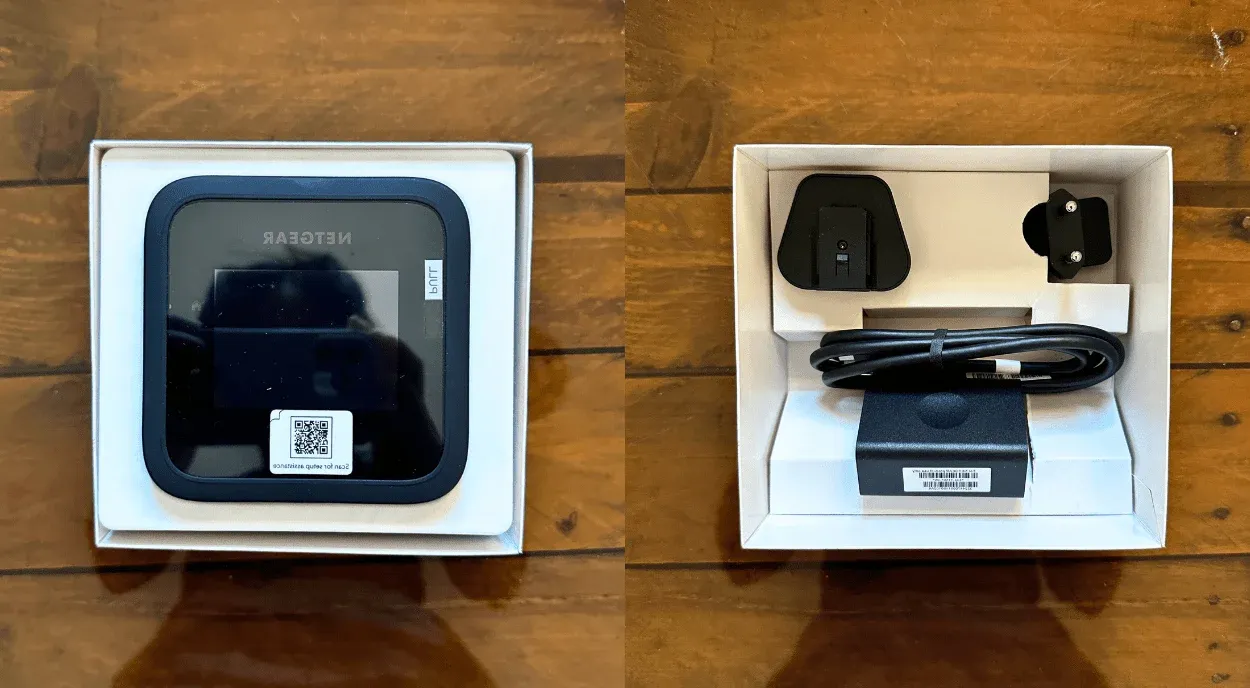
Setup was quick. You just pop off the back cover, slide in an activated SIM, snap the battery in, and you’re good to go. I liked that the battery’s removable because it makes swapping SIMs while traveling super easy. It even comes with a partial charge, so you can get online almost immediately.
Once you power it up, the touchscreen walks you through the basics. Change your Wi-Fi name and password, connect from your laptop or phone, and that’s it!
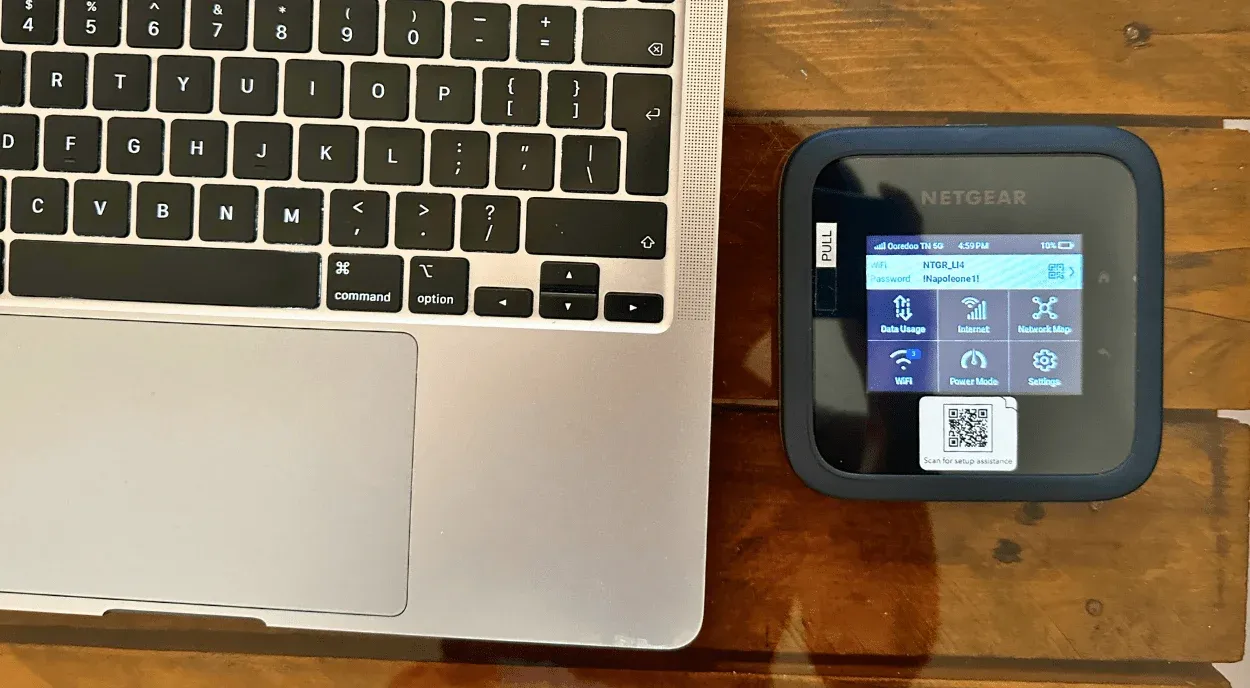
The M6 Pro gives you three performance modes. Balanced Mode is best for battery life, Performance Mode gives you better speeds when unplugged, and then there’s In-Home Performance Mode, the one that really shows off what this thing can do. When you remove the battery and keep it plugged in, it unlocks full Wi-Fi 6E, 6 GHz, and the 2.5 Gbps Ethernet port with up to 2,000 ft² coverage. If you want a rock-solid connection while you work, this is the mode to use.
I tested it while working from cafés and Airbnbs across Dahab (Egypt), Diani Beach (Kenya), Puerto Escondido (Mexico), and Koh Tao (Thailand). Here’s a quick look at how it performed:
| Location | Connection Type | Avg. Download | Avg. Upload |
|---|---|---|---|
| Dahab, Egypt | Local 5G SIM | ~250 Mbps | ~60 Mbps |
| Diani Beach, Kenya | Local 5G SIM | ~180 Mbps | ~40 Mbps |
| Puerto Escondido, Mexico | 5G SIM + Ethernet | ~600 Mbps (Ethernet) / ~320 Mbps (5G) | ~80 Mbps (Ethernet) / ~45 Mbps (5G) |
| Koh Tao, Thailand | Roaming 5G Plan | ~280 Mbps | ~55 Mbps |
For context, at these speeds, I was easily streaming Netflix in HD, backing up large photo folders to the cloud, hosting video calls without a single glitch, and uploading content to clients in record time. It just worked, which is really all you want when you’re living on the road.
Alternatives to Netgear
The Nighthawk M6 Pro is a powerhouse, no doubt. But at almost a thousand dollars, it’s not exactly an impulse buy. And honestly, it might be more router than most nomads really need.
If you want something similar without the premium price tag, the regular Nighthawk M6 is a great middle ground. It’s still unlocked, supports 5G speeds up to 2.5 Gbps, and uses Wi-Fi 6 instead of 6E. You lose the mmWave 5G and the faster 2.5 Gbps Ethernet port, but for everyday work, you probably won’t notice a big difference. The only time I did was in really crowded cafés where the Pro handled congestion a bit better. If you mostly work from Airbnbs or small coworking spaces, the standard M6 will absolutely do the job.
For something even lighter and simpler, check out the SIMO Solis Lite 4G. It’s tiny (just 139 grams) and fits easily in your pocket. It runs on 4G LTE instead of 5G, but the connection is surprisingly solid in over 130 countries, and the 16-hour battery life blows the M6 Pro out of the water. It’s not the fastest option, but for remote workers who just need steady Wi-Fi while hopping between places, it’s a solid pick.
Is It Worth $999?
It really depends on the kind of nomad you are.
If you’re someone who’s always moving, juggling client calls, uploading huge files, or livestreaming from random corners of the world, the Nighthawk M6 Pro is a really smart purchase. It’s fast, secure, and reliable almost everywhere, which takes a huge weight off your mind when you depend on the internet to make a living.
But if your work usually involves sending or receiving emails and the occasional café Wi-Fi, dropping nearly a thousand dollars on a hotspot is hard to justify. The regular M6 or a solid 4G hotspot will do the job just fine.
My take is the M6 Pro is worth it only if you travel full-time, want your own private connection wherever you go, and don’t mind a bit of tech tinkering. If that sounds like you, you’ll love it. If not, your money’s probably better spent on flights and good coffee.
Ready to Give M6 Pro a Try?

Find places, workspaces, events and a community that gets you.
Get Freaking Nomads ProAustralian freelance journalist in the UK, chasing off-beat stories and hidden histories through travel, interviewing remarkable people and exploring lesser-known places.

Freaking Nomads is supported by you. Clicking through our links may earn us a small affiliate commission, and that's what allows us to keep producing free, helpful content. Learn more
Read Next

The Best eSIMs for China Travel
Best eSIMs for Singapore Travel (Tested and Reviewed)